Free UTM Builder
Free UTM Builder & Campaign URL Builder for GA4
We help businesses grow with Google Ads, Meta Ads, SEO, landing page optimization, and conversion tracking strategies designed to improve lead quality, lower customer acquisition costs, and increase ROI.
100% Free
No Sign-up
Instant URL
GA4 Ready
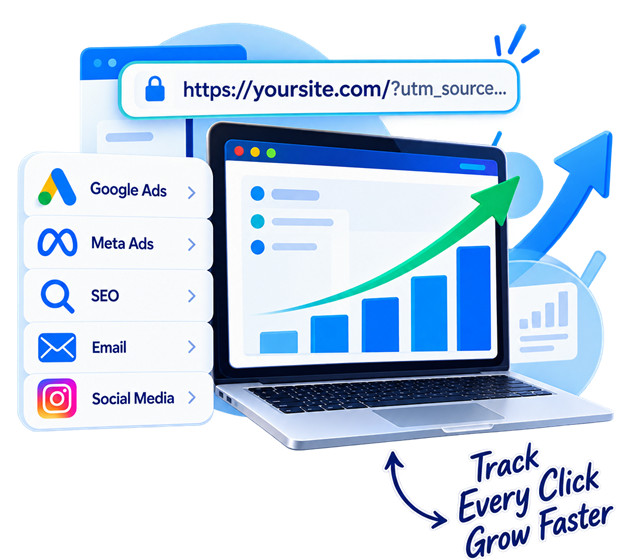
🚀 Advanced UTM Builder & Campaign URL Builder
Create clean, trackable campaign URLs with best-practice parameters
cpc, organic, email, social. Available for all campaigns._. Available for all campaigns.Tick the boxes below to automatically add industry-standard parameters.
Google → gclid={gclid} | Bing → msclkid={msclkid}
Meta → fbclid={fbclid} | TikTok → ttclid={ttclid}
What is UTM Builder?
A Campaign URL Builder or UTM Builder creates custom URLs with campaign parameters such as utm_source, utm_medium, and utm_campaign. These parameters help analytics platforms like Google Analytics 4 (GA4) identify where campaign traffic came from.
UTM Builder vs Campaign URL Builder
A UTM Builder and Campaign URL Builder are tools for creating trackable campaign URLs by adding UTM parameters to a destination URL. The terms are often used interchangeably. Google Analytics refers to its website tool as the Campaign URL Builder.
Why use a UTM Builder
Track Campaign Performance
Know Where Traffic Comes From
Compare Ads & Creatives
Improve Campaign Attribution
Keep Naming Structure Consistent
Reduce Manual Tracking Errors
Build UTM URLs or Campaign URLs for All Marketing Channels
Google Ads
Meta Ads
Bing Ads
LinkedIn Ads
TikTok Ads
Social Media
Newsletters
and More
How to Create a UTM Tracking URL
UTM Parameter Explained
utm_source
Where traffic comers from (e.g. Google, Facebook)
utm_medium
Marketing medium (e.g. cpc. email, social)
utm_campaign
Campaign Name (e.g. summer sales)
utm_content
ad group, creative or link (e.g. ad group 1, banner 1)
utm_term
Paid keyword (e.g. running shoes)
utm_device
User Device (e.g. m-mobile, c-computer)
utm_matchype
keyword match (e.g. phrase, broad)
utm_gclid
Click ID (e.g. gclid, fbclid)
Advanced UTM & Value Tracking
Go beyond basic UTM tracking. Add dynamic parameters like keywords, match types, devices, click ID's (gclid, fbclid, msclkid) for deeper analysis.
Supports dynamic parameters for Google Ads, Microsoft ads, Meta ads, TikTok ads and more
Helpful Insights
Answers of Common Questions About UTM Builder
Clear answers to common questions about UTM Builder & Campaign URL Builder
A UTM Builder is a tool that adds UTM parameters to a URL so you can track where campaign traffic comes from in Google Analytics 4 (GA4). It lets you add information such as source, medium, campaign, content, and term to a destination URL.
A Campaign URL Builder creates a trackable URL by adding campaign parameters such as utm_source, utm_medium, and utm_campaign to a destination URL. These parameters help Google Analytics identify and report campaign traffic.
Yes. In most marketing contexts, a UTM Builder and Campaign URL Builder refer to tools that create trackable URLs by adding UTM campaign parameters. Google uses the term Campaign URL Builder for creating campaign-tagged URLs.
UTM parameters are tags added to a URL that provide campaign and traffic-source information to Google Analytics. Common parameters include utm_source, utm_medium, utm_campaign, utm_term, and utm_content.
The five commonly used UTM parameters are utm_source, utm_medium, utm_campaign, utm_term, and utm_content. Source identifies where traffic came from, medium identifies the marketing channel, campaign identifies the campaign, term can identify a paid search term, and content can distinguish ads or links.
Enter your destination URL, add the campaign source, medium, and campaign name, optionally add content or term, then generate and copy the URL. A UTM Builder automates this process and reduces manual URL-formatting errors.
GA4 uses UTM parameters in campaign URLs to identify traffic sources, mediums, campaigns, terms, and content in Analytics reporting. When a visitor clicks a tagged URL, the campaign information can be used in traffic-source and campaign dimensions.
Yes, UTM parameters can be used with Google Ads for campaign tracking, but Google Ads also supports auto-tagging. When Google Ads and Analytics are properly integrated, Google recommends using auto-tagging rather than relying solely on manual UTM tagging.
UTM parameters are manually configured campaign tags, while GCLID is a Google Ads click identifier used with Google Ads auto-tagging. UTM parameters describe campaign information such as source, medium, and campaign, while GCLID helps Google connect an ad click with Google Analytics and Google Ads data.
Yes. The MeasuringClicks UTM Builder is free to use and lets you create campaign tracking URLs without manually constructing the UTM parameters.
Using consistent lowercase UTM values is a best practice because campaign values can be treated as different values when capitalization differs. For example, google and Google can fragment reporting. Consistent naming helps keep campaign data organized.
Let's Track What Matters
Build Better Campaigns with the Free Campaign URL Builder
Create clean, trackable URLs and get clearer insights with Measuring Clicks